Accessing an Office and Inviting Members
To access an office, you must be a member of that office. Each office is connected to a Microsoft Teams Team, and membership is automatically synchronized between them.
Adding Members to an Office
You can add people to an office in two ways:
From within the office (Invite function)
From Microsoft Teams, by adding or removing members in the corresponding Team (office)
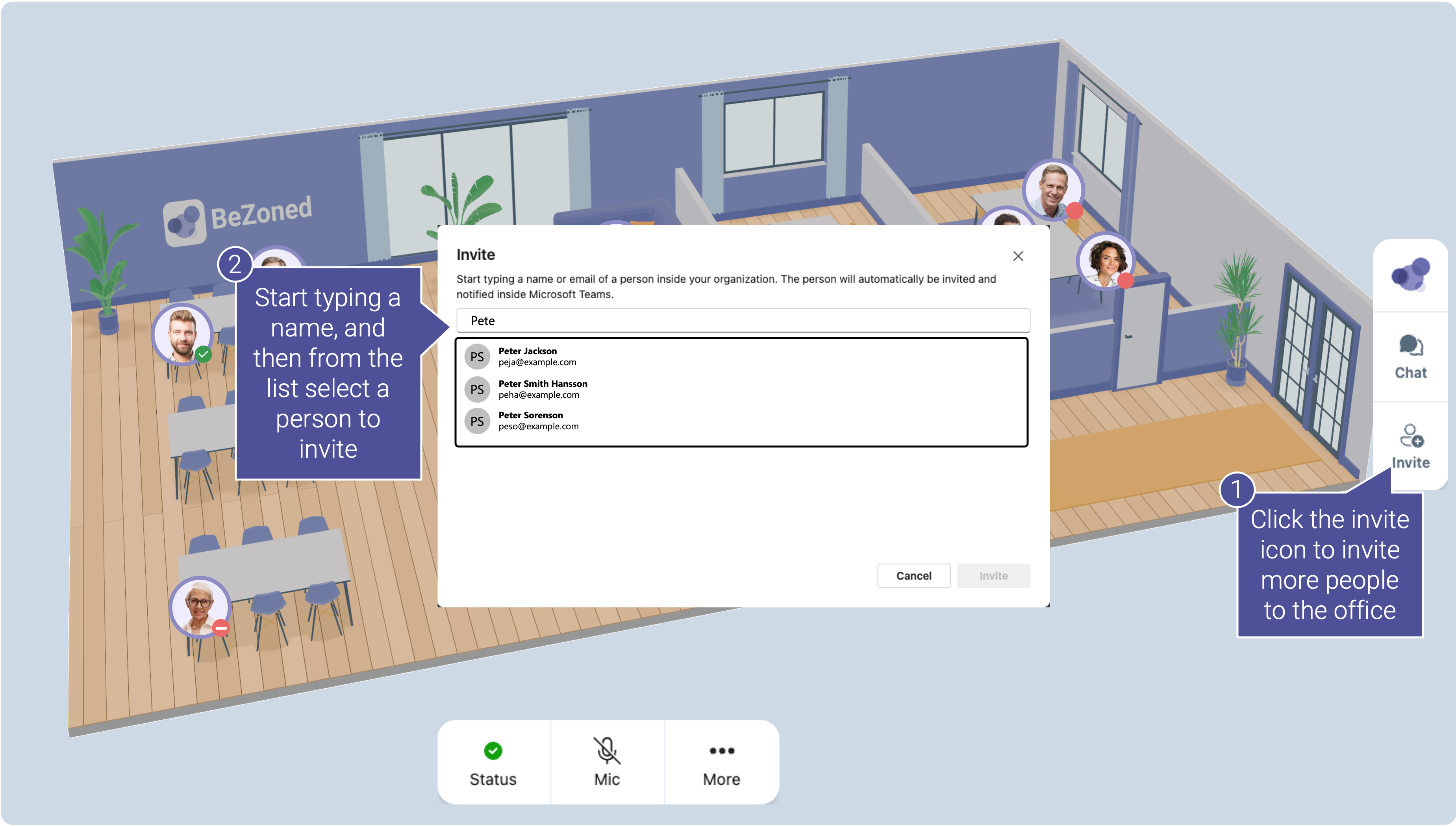
Inviting Members from Within the Office
Open the office and click Invite.
Start typing the name of a colleague.
Select the correct person from the search results.
Click Invite.
The invited person will be automatically added to the office and will receive a notification.
Was this helpful?
Still need help? Ask the team