Manage offices in BeZoned
In BeZoned, you can create as many offices as you need to reflect how your organization works. Each office connects to a Microsoft Teams team, making it easy to organize people, spaces, and collaboration across departments, locations, or projects.
How offices work
You can create multiple offices in BeZoned without limits.
Each office is linked to a specific Microsoft Teams team.
Offices help you separate and structure work by department, location, or project.
Employees can switch between offices at any time, supporting flexible and cross-functional collaboration.
Each office can include its own tools and resources, tailored to the needs of the team using it.
Custom office layouts are planned as an upcoming feature.
Edit offices from the lobby
You manage all offices from the Lobby area. From here click the menu in the upper right corner and select “Edit” to keep your online workspace organized and up to date:
Rename offices to match current teams or initiatives
Reorder offices to control how they appear
Archive offices that are no longer needed
Create new offices to add teams
Changes made in the lobby apply immediately, helping everyone stay aligned as your organization evolves.
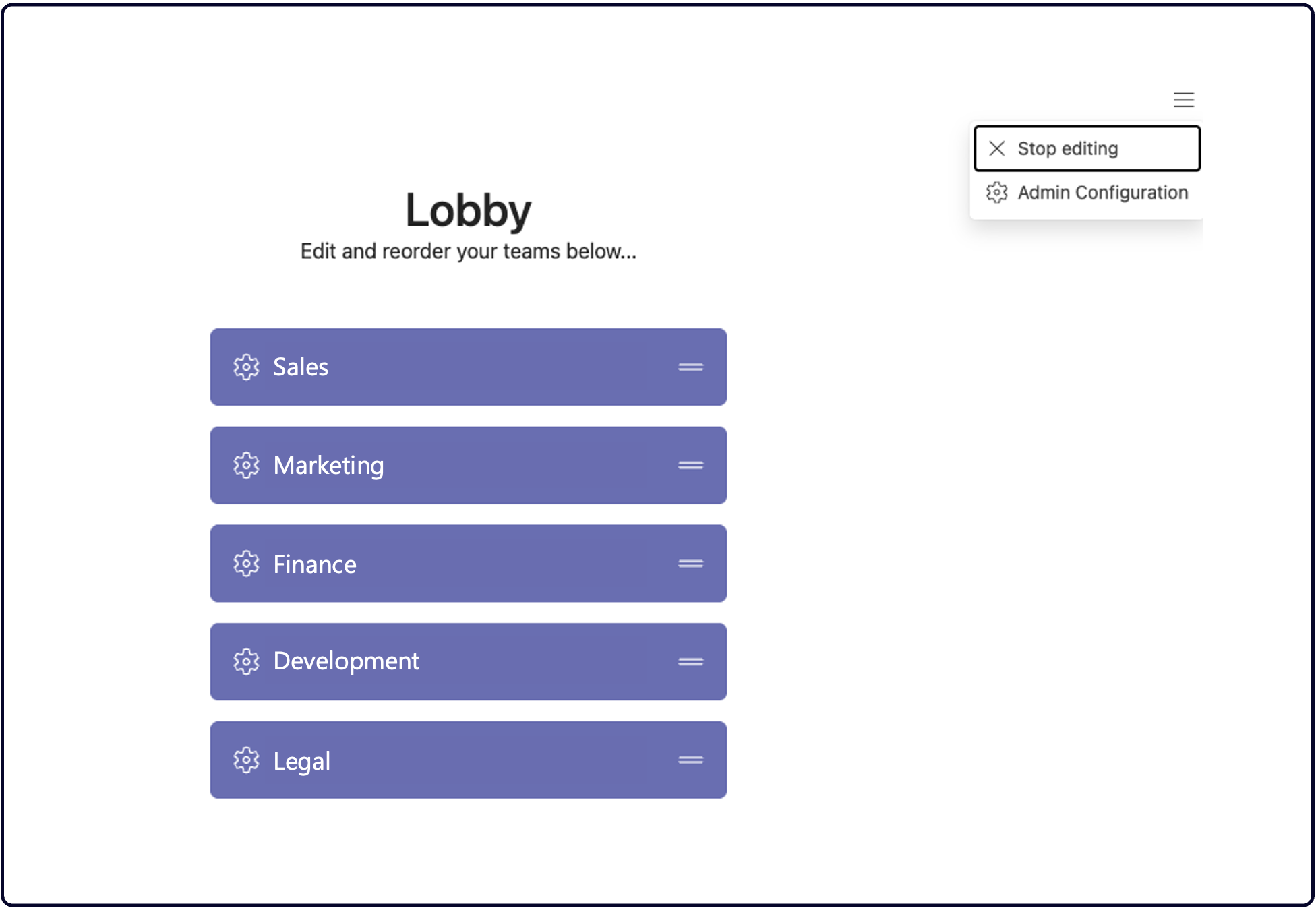
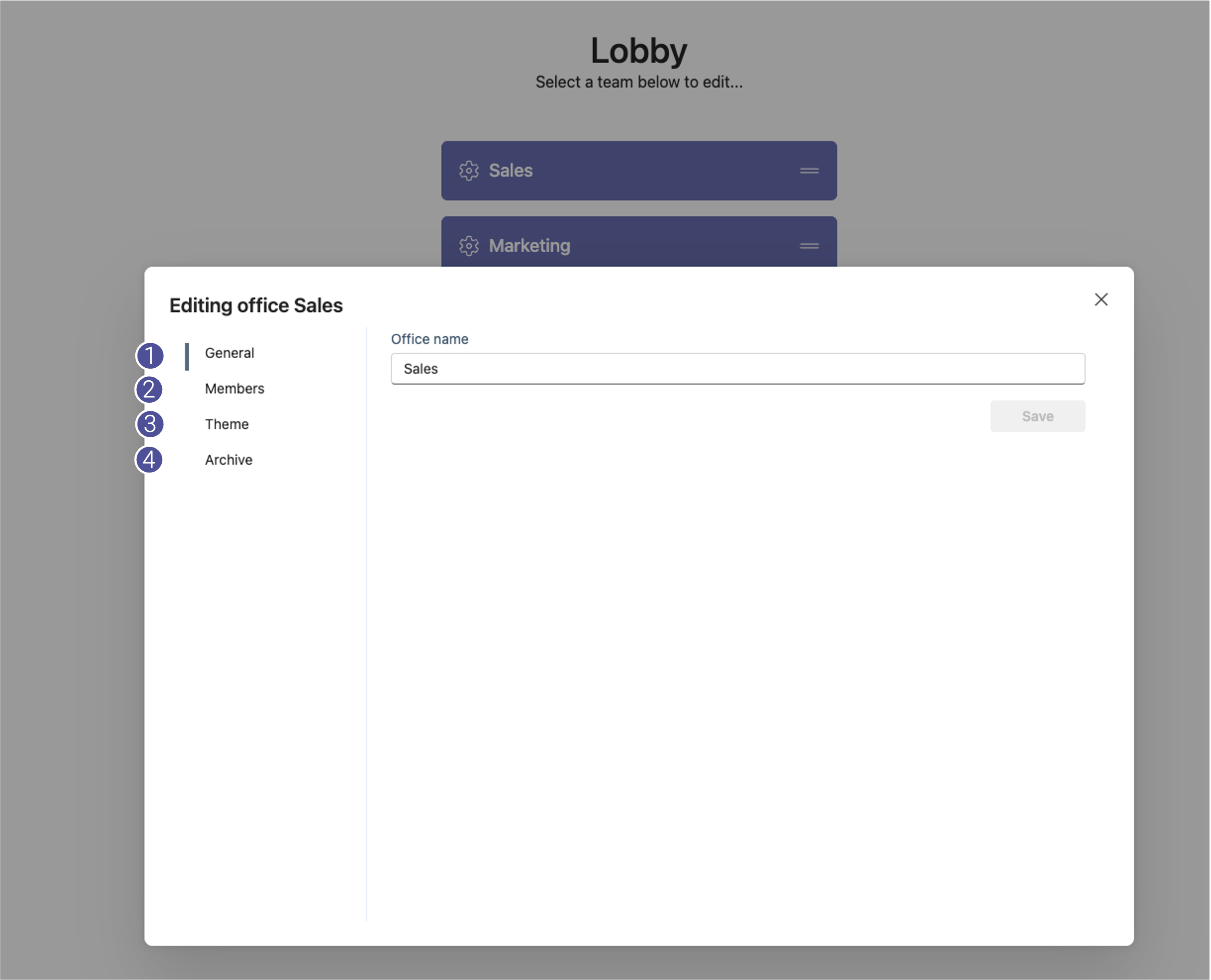
To change name, logo theme or archive an office, click the gear icon on a office.
Tip: You need to be owner of the corrosponding team in Microsoft Teams to edit an office.
From the office settings you may:
Change the name of the office
Add or remove members of the office.
(To add members, they need to have a Microsoft Teams license)Change the office layout theme (size, style, number of tables, etc), or add a logo to be shown in the office
Archive a team. This will remove it from the list of offices in the lobby, and archive it in Microsoft Teams.
Was this helpful?
Still need help? Ask the team